Three letters that everyone stepping into robotics runs into sooner or later: ROS — the Robot Operating System. As we'll see, the name is a little misleading. In this article I'll explain what ROS is, how it works, what changed between ROS 1 and ROS 2, and how it is used in industry — from the perspective of an engineer who works on AMRs in the field.

The ROS logo — Wikimedia Commons
ROS is not actually an operating system
Despite its name, ROS is not an operating system like Windows or Linux. It is a robotics middleware and development framework that runs on top of an OS (usually Ubuntu). It gives you three things at once:
- A communication infrastructure — a standardized messaging system that lets the different software parts of a robot (drivers, algorithms, interfaces) talk to each other.
- A tool set — visualization (RViz), simulation (Gazebo), data recording (rosbag), debugging and introspection tools.
- An ecosystem — thousands of ready-made open-source packages for solved problems like SLAM, navigation and motion planning.
That third item is where ROS really shines: instead of reinventing the wheel, you take packages developed by researchers and companies around the world and adapt them to your own robot. Need localization? AMCL is ready. Mapping? SLAM Toolbox. Autonomous navigation? Nav2. Arm motion planning? MoveIt.
A short history: from Stanford to industry standard
ROS traces its roots to the STAIR project at Stanford University in the mid-2000s. In 2007, the Silicon Valley robotics company Willow Garage took over the project and developed ROS alongside its PR2 research robot. Open Robotics (the Open Source Robotics Foundation), founded in 2012, has been the project's steward ever since.
The critical turning point came in 2017: ROS's original architecture had been designed for research labs and couldn't meet industry needs (real-time control, security, multi-robot systems). So ROS 2, redesigned from scratch, was released. The final ROS 1 release, Noetic, reached end-of-life in May 2025 — so if you're starting a new project today, the answer is clear: ROS 2.
Core concepts: how ROS thinks
In ROS, robot software is composed of small, independent programs that exchange messages. This modular structure is far more flexible and resilient than one giant program — if one piece crashes, the rest of the system keeps running.
Nodes
Small programs, each responsible for a single job. On an AMR, for example: the LiDAR driver is one node, the motor controller another, the localization algorithm yet another. Nodes can be written in C++ (rclcpp) or Python (rclpy) — both coexist happily in the same system.
Topics and Messages
Topics are the main data highway between nodes, using a publisher/subscriber model: the LiDAR node publishes scan data to the /scan topic, and the localization node subscribes to it. A publisher doesn't need to know who is listening — this loose coupling makes swapping out parts of the system remarkably easy.
# A minimal publisher node with rclpy
import rclpy
from rclpy.node import Node
from std_msgs.msg import String

class HelloPublisher(Node):
    def __init__(self):
        super().__init__('hello_publisher')
        self.pub = self.create_publisher(String, 'chatter', 10)
        self.timer = self.create_timer(1.0, self.tick)

    def tick(self):
        msg = String()
        msg.data = 'Hello ROS 2!'
        self.pub.publish(msg)

rclpy.init()
rclpy.spin(HelloPublisher())
Services and Actions
Topics are for continuous data streams; sometimes you need request/response instead. That's what a Service does: a client sends a request, the server returns a response (e.g. "reset the map"). An Action is for long-running tasks: go to a goal, report progress along the way, cancel if needed. Telling Nav2 "drive to these coordinates" is an action — the robot publishes feedback throughout the journey.
Parameters and TF2
Parameters are configuration values that can be tuned at runtime (max speed, sensor frequency, etc.). TF2 is ROS's coordinate transform library: it maintains a dynamic transform tree that can answer, at any moment, "where is the point the LiDAR sees relative to the robot's body — and relative to the map?" It's one of the topics real-world roboticists spend the most time on!
The tool ecosystem
- RViz — see the world through your robot's "eyes": sensor data, the map, planned paths, the TF tree, all visualized in 3D.
- Gazebo — a physics-based simulation environment. Test your robot in a virtual world before touching real hardware.
- rosbag — records topic data to disk and plays it back. Being able to reproduce a field failure at your desk, over and over, is priceless.
- ros2 cli — inspect a live system with commands like
ros2 topic echoandros2 node list.

TurtleBot3 Burger: the standard platform for learning ROS — Photo: Wikimedia Commons, CC BY-SA 4.0
ROS 1 vs ROS 2: why everything changed
| ROS 1 | ROS 2 | |
|---|---|---|
| Communication | Central roscore (single point of failure) | DDS — no central server, distributed discovery |
| Real-time | No | Designed for real-time control |
| Platforms | Linux only | Linux, Windows, macOS, RTOS |
| Security | None | Encryption and authentication via DDS-Security |
| Multi-robot | Hard, hacky | Native support (domain IDs, namespaces) |
| Status | Noetic — EOL (May 2025) | Active development (Jazzy LTS, Kilted...) |
At the heart of ROS 2 is DDS (Data Distribution Service) — an industrial-grade communication standard used for years in aerospace and defense. Removing the central roscore makes a real difference for robots in the field: a single crashed process no longer blinds the whole fleet. With QoS (Quality of Service) settings you can fine-tune behavior — "this data is critical, it must arrive" versus "just keep this stream fresh, drop stale messages". I've learned the value of those settings first-hand in warehouse corners with weak Wi-Fi.
ROS in industry: from the lab to the warehouse
ROS is no longer just a research tool. Today ROS 2 runs in countless commercial products — from warehouse AMRs to agricultural robots, delivery vehicles to surgical systems. In the autonomous mobile robot world that is part of my daily job, a typical architecture looks like this:
- Sensor drivers (LiDAR, depth camera, IMU) → ROS 2 nodes
- SLAM / localization → building a map and estimating position on it
- Nav2 → global/local path planning and obstacle avoidance
- A fleet management layer → robots connect to central systems via industry protocols like VDA5050 (over MQTT)
- A safety layer → safety PLCs and safety LiDARs operate at the hardware level, independent of ROS — because human safety is never entrusted to software alone
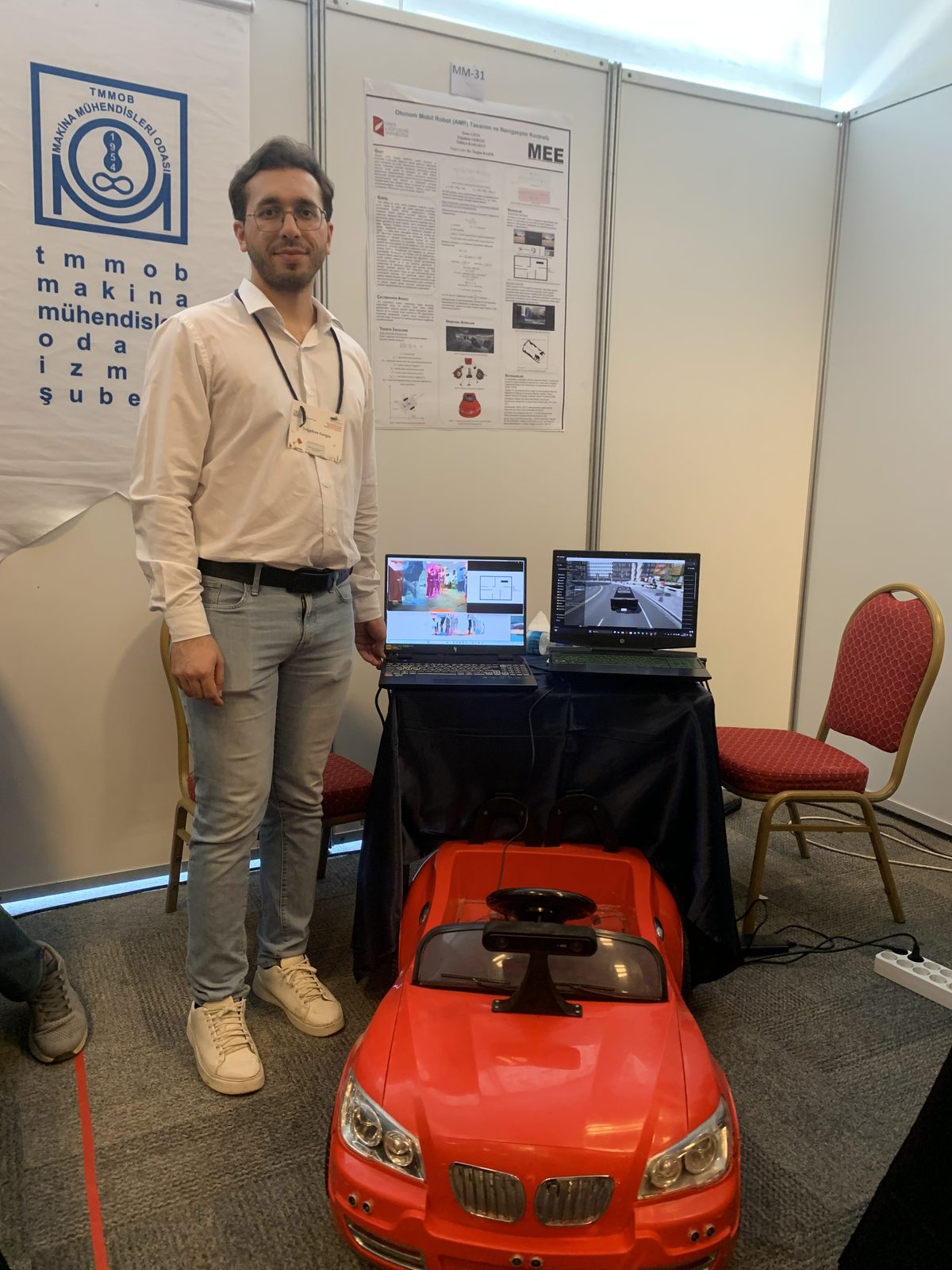
My own graduation project: an AMR navigating autonomously with a ZED2 stereo camera and a Jetson Xavier
Where to start
- Install Ubuntu 24.04 + ROS 2 Jazzy (LTS) — the official installation guide is at docs.ros.org.
- Work through the official Beginner Tutorials in order: they start with
turtlesimand teach nodes/topics/services hands-on. - Try SLAM and Nav2 in Gazebo with the TurtleBot3 simulation — you'll build a real autonomous navigation stack without buying a physical robot.
- Pick a small but real project: map your room and send a (simulated) robot autonomously from one point to another.
- When you get stuck, ask the community at Robotics Stack Exchange and ROS Discourse.
My advice: don't linger too long in tutorials. You only truly learn ROS when your hands get dirty — when your TF tree breaks, when messages vanish because of a QoS mismatch. Those bugs will be your best teachers.
Sources
- ROS official site — overview and ecosystem
- ROS 2 Documentation — installation and official tutorials
- ROS 2 Design Documents — the rationale behind DDS and the architecture
- Nav2 Documentation — the autonomous navigation stack
- Open Robotics — the foundation behind the project
- ROS Discourse — the official community forum
- VDA5050 Standard — the AGV/AMR fleet communication protocol
Questions? Reach out via the contact section — I always enjoy talking about ROS.